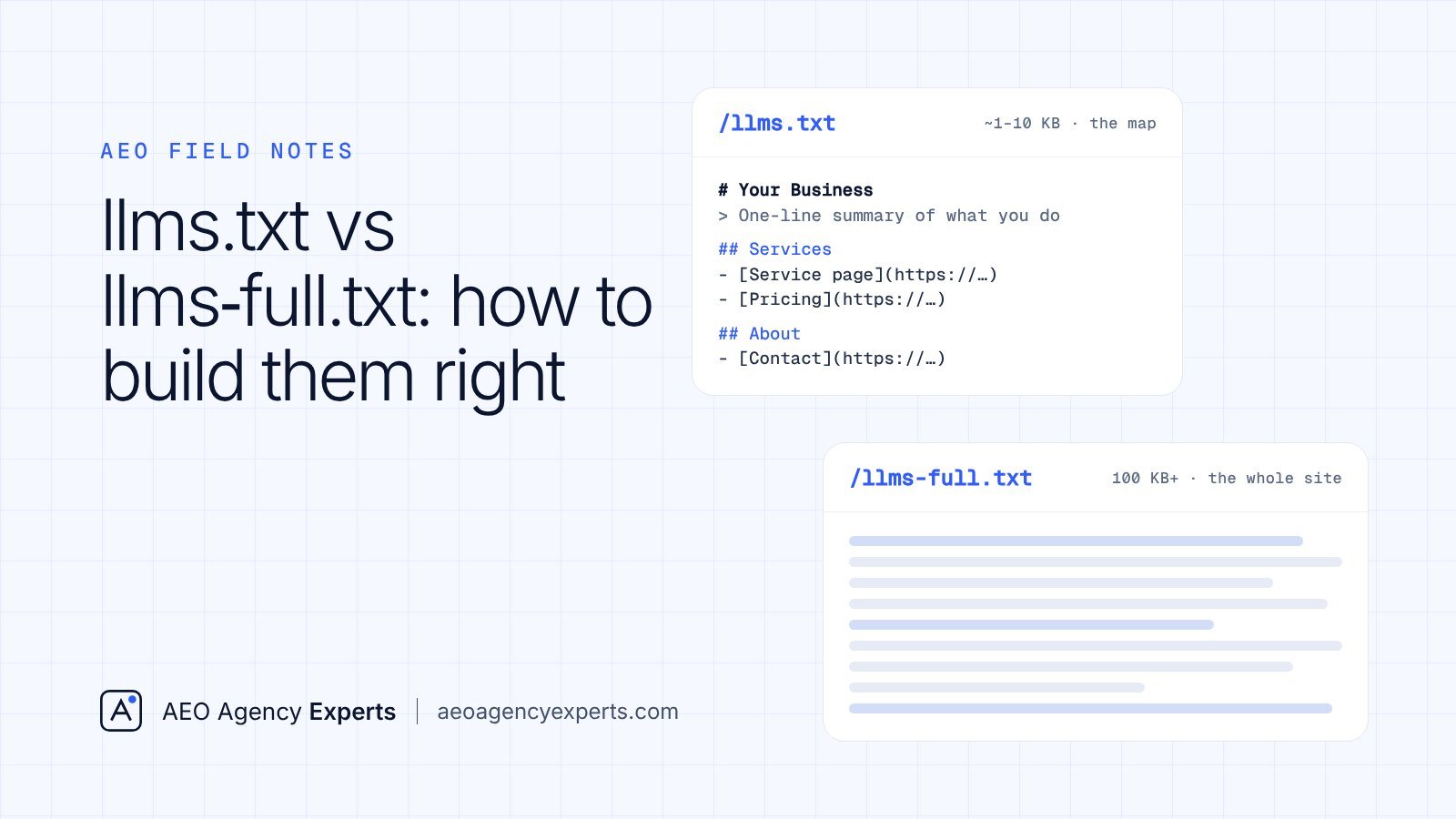
If you have been told your website needs llms.txt and llms-full.txt, this is the practical version: how to build each file correctly, where each one earns its keep, how to see whether anything reads them, and the robots.txt settings that deserve your attention first. At AEO Agency Experts we come to this with two decades in SEO and hands-on AEO work from the moment AI answers started showing up in search. We build these files for clients when they make sense. We also tell clients when they don’t.
What are llms.txt and llms-full.txt?
Both come from the same proposal, published by Jeremy Howard of Answer.AI on September 3, 2024. The original idea was llms.txt: a Markdown file at your domain root that gives language models a clean, curated list of your most useful pages, so they don’t have to wade through navigation, scripts and layout code.
llms-full.txt came later. Mintlify, the documentation platform, built it with its customer Anthropic, and it was folded into the proposal afterward, as Mintlify’s own write-up from April 2025 explains. Instead of links, it holds the full text of your key pages in one file.
How do llms.txt and llms-full.txt differ in practice?
| Question | llms.txt | llms-full.txt |
|---|---|---|
| Where does it live? | /llms.txt at the domain root | /llms-full.txt at the domain root |
| What’s required? | Only an H1 with the site or project name | No formal structure; full page text in Markdown |
| What’s inside? | Summary, notes and H2 sections of annotated links | Every key page’s body text, one after another |
| Typical size | About 1 to 10 KB | About 100 KB to several MB |
| How it’s usually made | Written by hand, or exported from a CMS | Generated by a docs platform or build script |
| When to update | When pages are added, removed or renamed | Whenever any included page changes |
| Best fit | Almost any site, as a low-cost extra | SaaS docs, APIs, knowledge bases, help centers |
How do you structure an llms.txt file?
Here is a complete, realistic file for a fictional Denver personal injury firm. Copy the shape, not the content.
# Front Range Injury Law

> Personal injury law firm in Denver, Colorado. We represent people hurt in
> car, truck, bicycle and workplace accidents across metro Denver and the
> Front Range. Free consultations; contingency fees.

Our attorneys are licensed in Colorado. We do not handle criminal, family or immigration matters.

## Practice areas
- [Car accidents](https://www.example.com/car-accidents/): how claims work in Colorado, insurance, filing deadlines
- [Truck accidents](https://www.example.com/truck-accidents/): claims against commercial carriers
- [Bicycle accidents](https://www.example.com/bicycle-accidents/): injuries to cyclists in Denver
- [Workplace injuries](https://www.example.com/workplace-injuries/): third-party claims alongside workers' comp

## The firm
- [Attorneys](https://www.example.com/attorneys/): bios, bar admissions, education
- [Office and contact](https://www.example.com/contact/): address, hours, phone

## Optional
- [Legal blog](https://www.example.com/blog/)
- [Client reviews](https://www.example.com/reviews/)
What each part is doing:
- The H1. The only required element. Use your exact legal or trading name, the same one on your Google Business Profile and state bar listings.
- The blockquote. Two or three lines answering who you are, what you do and where. Write it as if it might be quoted word for word, because that is the point.
- The notes paragraph. Plain facts that prevent wrong answers: licensing limits, services you don’t offer.
- H2 link sections. Each line is a Markdown link, a colon and a short description. Use absolute URLs that resolve with a 200 status.
- The “Optional” section. The proposal treats this heading as droppable when a tool needs to save space. Put secondary material here.
A Texas HVAC company would follow the same pattern: an H1 with the business name, a blockquote naming the cities served (say, Dallas, Plano and Frisco), notes on licensing and emergency hours, then sections for repair, installation, maintenance plans and contact.
Should you also publish .md versions of pages?
The proposal suggests offering Markdown copies of pages at the same URL with .md added. Documentation platforms often do this automatically. For a WordPress marketing site, we’d skip it: it doubles the number of URLs to maintain for a benefit nobody has demonstrated.
How do you build llms-full.txt?
Build it with a script, never by hand. The process:
- Pick the pages that belong in it, usually everything already listed in llms.txt outside “Optional”.
- Convert each page’s main content to Markdown, stripping headers, footers, menus, cookie notices and forms.
- Start each page with an H2 title and a Source line holding its canonical URL, so any quote can be traced back.
- Concatenate everything into one file, add a dated header, and publish it at /llms-full.txt.
- Rebuild it automatically on every deploy or content publish.
Here is the opening of one for a fictional field-service SaaS help center:
# DispatchLoop Help Center

> Complete text of the DispatchLoop help center for field-service teams.
> Index: https://docs.example.com/llms.txt  Last built: 2026-10-24

## Create a recurring job
Source: https://docs.example.com/jobs/recurring/

Open Jobs, select New job, then turn on Repeat. Choose a frequency...

## Assign technicians by skill
Source: https://docs.example.com/dispatch/skills/

Each technician profile has a Skills field. When a job requires...
When does llms-full.txt make sense, and when doesn’t it?
It makes sense when people genuinely want your whole corpus inside an AI tool: API references, SDK docs, product manuals, help centers and internal-style knowledge bases. A developer pasting your docs into a coding tool benefits from one clean file.
It rarely makes sense for a small marketing site. A 15-page website for a law firm, dental practice or roofing company is already easy to crawl. A full-text copy adds another thing to keep accurate, and if it falls behind, you now have two versions of your business facts on the web.
How do you keep both files up to date?
- Generate them from the same source as your site: a CMS export, a static-site build step or your docs platform.
- Add a “last built” date in the blockquote or notes so stale files are obvious.
- Run a monthly link check against every URL in llms.txt and fix anything that redirects or returns an error.
- Tie a manual review to business changes: new location, new practice area, discontinued service, new phone number.
- Make sure your CDN or cache purges the files when they change.
How can you tell who actually requests your llms.txt?
Your server access logs answer this better than any vendor claim. On a standard Apache or Nginx combined log format, these two commands show who fetched the files and how that compares with crawler activity on the rest of the site:
# Who requested llms.txt or llms-full.txt, grouped by user agent
grep -E '"GET /llms(-full)?\.txt' access.log \
  | awk -F'"' '{print $6}' | sort | uniq -c | sort -rn | head -20

# Compare: how often AI and search crawlers hit the rest of the site
grep -Ei 'OAI-SearchBot|GPTBot|ChatGPT-User|PerplexityBot|Perplexity-User|Googlebot|bingbot' access.log \
  | awk -F'"' '{print $6}' | sort | uniq -c | sort -rn
Read the results with care. User-agent strings can be faked, so confirm anything important against the IP ranges the major crawler operators publish. And keep expectations grounded: Ahrefs, working from server logs on 137,000 domains in May 2026, reported that 97% of llms.txt files were never requested, according to PPC Land’s July 2026 report. Of the requests that did arrive, roughly 1.1% came from AI retrieval bots, and GPTBot, OpenAI’s training crawler, topped the list of named AI requesters.
Which robots.txt settings matter more than llms.txt?
This is where we spend real time on every audit. One bad line here can remove you from an answer engine entirely, which no text file can fix.
# Search and answer crawlers: allow, so you can be found and cited
User-agent: OAI-SearchBot
Allow: /

User-agent: PerplexityBot
Allow: /

User-agent: Googlebot
Allow: /

User-agent: bingbot
Allow: /

# Model training: a separate business decision (shown blocked as an example)
User-agent: GPTBot
Disallow: /

User-agent: *
Disallow: /wp-admin/

Sitemap: https://www.example.com/sitemap.xml- OAI-SearchBot vs GPTBot. OpenAI’s crawler documentation describes OAI-SearchBot as the crawler that surfaces sites in ChatGPT search, and says sites blocking it won’t be shown in ChatGPT search answers, though they can still appear as navigational links. GPTBot collects training data. You can allow one and block the other. ChatGPT-User covers fetches a person triggers inside ChatGPT.
- PerplexityBot. Perplexity’s search crawler. Perplexity runs live retrieval for most questions and shows numbered citations, so blocking it works against you. Perplexity-User handles fetches triggered by a user.
- Googlebot and bingbot. Google AI Overviews, AI Mode and Gemini rely on Google’s index, and Microsoft Copilot is grounded in Bing. Block either and you drop out of those answers with the classic results.
Also check firewalls, CDN bot settings and security plugins. We regularly find AI search crawlers blocked at that layer while robots.txt looks fine.
What does the evidence say about llms.txt right now?
Adoption is real. Originality.ai, which monitors 3 million-plus sites, counted 36,120 sites with llms.txt in May 2026, up from 4,088 a year earlier in June 2025; llms-full.txt climbed from 23 sites to 2,463 (also from the PPC Land report). Measured use is another matter.
Google is clear. Its May 2026 guide on generative AI features, reported by Search Engine Journal, treats AI Overviews and AI Mode work as still SEO and lists llms.txt as something you can skip. Google said its own hosting of llms.txt files was not an endorsement, and in June 2026 called the effect “purely speculative”, with a practical exception: when an AI service that actually drives customers to you requests the file, provide it. Lighthouse 13.3 shipped an experimental audit, called Agentic Browsing, that checks whether llms.txt exists, but it is aimed at browser agents, not Search ranking.
OpenAI, Anthropic and Perplexity publish llms.txt files for their developer docs. None has said its crawlers use llms.txt for search results or citations.
Implementation checklist
- Audit robots.txt, firewall and CDN rules for OAI-SearchBot, PerplexityBot, Googlebot and bingbot.
- Confirm key pages are indexed in Google Search Console and Bing Webmaster Tools; turn on IndexNow if your CMS supports it.
- Write llms.txt with an H1, blockquote, notes and two to four link sections.
- Publish llms-full.txt only if you run docs, a knowledge base or a SaaS help center, and generate it automatically.
- Serve both as plain text with a 200 status and no redirect chain.
- Schedule link checks and a log review for 60 and 120 days out.
Mistakes to avoid
- Treating llms.txt as a substitute for crawlable, indexed pages.
- Hand-maintaining llms-full.txt until it quietly contradicts the live site.
- Listing every URL from your sitemap; llms.txt should be curated.
- Blocking GPTBot and assuming that covers ChatGPT search, or the reverse.
- Including pricing, promotions or staff details you won’t remember to update.
Our verdict
Build llms.txt; it takes little time and is easy to do well. Build llms-full.txt only when you have documentation people want in one piece. Then put your effort where the evidence points: crawler access, indexing in Google and Bing, clear answer-first pages, consistent business facts and mentions on sources AI platforms trust. If you want to see where you stand across ChatGPT, Google AI Overviews, AI Mode, Gemini, Perplexity and Copilot, our free AI visibility check is the place to start.